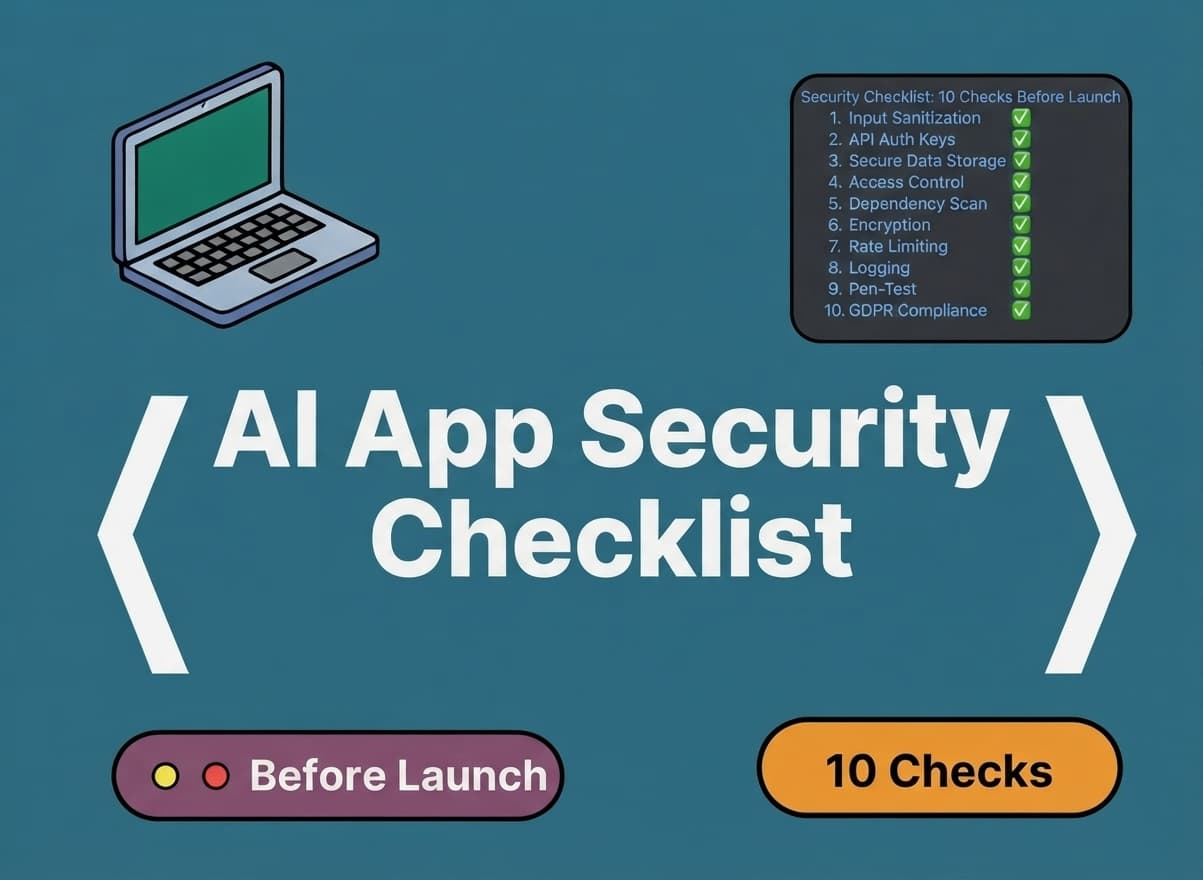
Your app works. But is it safe to put in front of real users?
AI builders have dramatically accelerated development, but faster development doesn't remove the need for a security review. That matters more once an app handles real users, payments, business data, files, or AI actions. AI-built applications can contain the same classes of vulnerabilities as traditionally developed applications, and AI features can introduce a few additional risks on top of that.
Security should be something you verify before launch, not something you assume because the app works. This isn't a claim that AI-built apps are inherently insecure, it's the same review any app deserves before real people depend on it, organized into ten checks you can run yourself.
Repeat after every update
Why AI-Built Apps Deserve a Security Review
Generated code may not receive the same detailed human review a hand-written feature would. Developers may not understand every dependency that got pulled in. Security controls can end up implemented inconsistently across a project. API keys and environment variables can be mishandled, permissions can be overlooked, and AI features add attack surfaces that didn't exist in a traditional app. Production configuration can also quietly drift from what was tested in development. None of this is unique to AI-built apps, it's general application security, referenced here against established guidance like the OWASP Top 10.
01 — Authentication: Can Users Securely Prove Who They Are?
This covers everything involved in a user proving their identity to your app.
- Signup
- Login
- Logout
- Password reset
- Email verification
- Session management
- Account recovery
- Rate limiting
- MFA where appropriate
Key question: Could someone gain access to another user's account without knowing their credentials?
02 — Authorization & Access Control: Can Users Only Access What They're Supposed To See?
Authentication answers “who are you?” Authorization answers “what are you allowed to do?” They're both required, and it's common for only one of them to get real attention.
- User access to their own data
- User access to another user's data
- Regular user access to admin functions
- API endpoints
- Files
- Database records
- Role permissions
Key question: Can a normal user access information or actions intended only for another user or administrator?
This is one of the areas worth the closest attention, since broken access control is consistently one of the most common application security risks.
03 — API Keys & Secrets: Are Your API Keys and Secrets Actually Secret?
Every app built with AI tools, payment providers, or third-party APIs has credentials somewhere. The question is whether they're actually protected.
- API keys
- Database credentials
- Service-role keys
- Payment credentials
- AI provider keys
- Git repositories
- Environment variables
- Deployment configuration
Key principle: Anything that grants privileged access should not be exposed in client-side code.
04 — Database Security: Can Users Access Data They Shouldn't?
A UI that hides a button isn't the same as data that's actually protected. This check looks at what's enforced at the data layer itself.
- Database permissions
- Row-level access
- User ownership
- Admin access
- Read / write / delete permissions
- Sensitive fields
- Data validation
- Backups
- Data deletion
Key principle: Security needs to be enforced at the data and server layers, not just hidden in the interface.
05 — Input Validation & Injection: What Happens When Someone Sends Your App Unexpected Input?
Backend systems shouldn't assume input coming from the interface is trustworthy, since it's trivial to send requests that skip the interface entirely.
- Forms
- Search
- URLs
- Query parameters
- File uploads
- API requests
- Database queries
Key principle: Never rely on the interface alone to enforce security rules.
Injection is a major security category in its own right. This isn't the place for exploit payloads, just awareness of where unvalidated input tends to cause real damage.
06 — Dependencies & Software Supply Chain: Do You Know What Your App Depends On?
AI-built applications often pull in a lot of libraries, packages, SDKs, APIs, plugins, and external services quickly, which is convenient but worth reviewing.
- Are dependencies maintained?
- Are versions known?
- Are unnecessary packages installed?
- Are vulnerabilities monitored?
- Are third-party services trusted?
- Is the build and deployment process protected?
Key principle: Supply-chain security is a major part of modern application security, not a side concern.
07 — Sensitive Data: What Information Does Your App Collect, and Where Does It Go?
Before securing data, it's worth asking whether you need to collect it at all. Names, emails, phone numbers, addresses, documents, business information, payment-related information, and private conversations all carry different levels of risk.
- Storage
- Access
- Encryption where appropriate
- Retention
- Deletion
- Logging
- Third-party sharing
Key principle: Collect less, expose less, retain only what you actually need.
08 — AI-Specific Security: If Your App Uses AI, You Have Another Layer to Check
Everything above still applies. AI features just add a few risks on top, drawn from OWASP's GenAI security guidance:
- Prompt Injection — Can untrusted user input manipulate the model's intended behavior?
- Sensitive Information Disclosure — Could the AI expose information it shouldn't reveal?
- Improper Output Handling — Does the application blindly trust model-generated output?
- Excessive Agency — Can the AI perform actions beyond what it actually needs to perform?
- Unbounded Consumption — Can users trigger excessive AI usage and unexpected costs?
For agentic applications specifically, also watch for tool misuse, privilege abuse, goal hijacking, and unintended actions taken on the user's behalf.
09 — Error Handling & Logging: What Happens When Something Goes Wrong?
A secure application doesn't have to prevent every failure. It needs to fail safely and make important failures visible to the right people.
- User-facing errors
- Server errors
- Failed payments
- Failed API calls
- Invalid inputs
- Security events
- Logs
- Alerts
- Monitoring
Also check that logs themselves don't expose passwords, tokens, API keys, or sensitive personal information — a common way secrets leak that has nothing to do with the app's actual features.
10 — Production Configuration: Is the Production Environment Configured Securely?
A project can behave safely in development and still be exposed because of insecure production configuration. This is the check that catches that gap.
- HTTPS
- Debug mode
- CORS
- Environment variables
- Production database permissions
- Admin accounts
- Default credentials
- Storage permissions
- Cloud configuration
- Backups
- Monitoring
- Deployment settings
Use AI to Run a First-Pass Security Audit
If you built your application with an AI coding tool, you can use that same tool to run a first-pass security review. A few rules make this safe: the AI should inspect before changing anything, it should never be asked to print secrets, and it should produce findings before any remediation happens. This is a useful first pass, not a professional security audit.
Act as a senior application security engineer.

I want you to audit this application for security issues before it is released to real users.

IMPORTANT:
- Do not modify any code yet.
- First inspect the project and produce an audit report.
- Do not assume that something is secure because the UI appears to work.
- Check the frontend, backend, database, authentication, authorization, APIs, dependencies, environment configuration, file storage, third-party integrations, and AI functionality where applicable.
- Do not expose or print secrets, API keys, passwords, tokens, or other sensitive credentials.

Review the project for:
1. Authentication
2. Authorization and access control
3. Database permissions
4. API security
5. Exposed secrets and API keys
6. Input validation
7. Injection risks
8. File upload/security risks
9. Dependency and package risks
10. Sensitive data exposure
11. Error handling and logging
12. Production configuration
13. CORS and security headers
14. Payment/integration security
15. AI-specific risks such as prompt injection, sensitive information disclosure, excessive agency, unsafe output handling, and uncontrolled AI usage

For every issue provide:
- Severity: Critical / High / Medium / Low
- What the issue is
- Where it appears
- Why it matters
- What could happen if it remains unfixed
- Recommended fix
- Files/components affected
- Whether the issue can be fixed safely without changing existing functionality

Do not make changes yet.

At the end provide:
A. Critical issues
B. High-priority issues
C. Medium/low issues
D. Quick wins
E. Issues requiring human/security specialist review

Then give me a prioritized remediation plan.
Targeted Audit Prompts
The master prompt above is thorough, but sometimes you just want to check one area. These shorter prompts work as a reference library, each one instructing the AI to inspect first and report findings before modifying anything.
Authentication Audit
Ask the AI to inspect: Login, Sessions, Password reset, Account recovery, MFA, Rate limiting.
Access-Control Audit
Ask the AI to inspect: User-owned resources, Admin functions, API authorization, Database permissions, Role boundaries.
Secrets Audit
Ask the AI to inspect: API keys, Database credentials, Service-role keys, Payment credentials, AI provider credentials.
Important: Never ask the AI to print the actual secret values.
Database Audit
Ask the AI to inspect: Row-level permissions, Read/write/delete access, User ownership, Admin access, Sensitive fields.
API Audit
Ask the AI to inspect: Authentication, Authorization, Input validation, Rate limiting, Error handling, Sensitive responses.
AI Security Audit
Ask the AI to inspect: Prompt injection, Sensitive data disclosure, Output handling, Tool permissions, Agent actions, Usage limits.
Audit First. Fix Second.
A broad “fix every security issue” prompt can make large, unnecessary changes and potentially introduce new problems. The goal is targeted remediation, not uncontrolled rewriting:
AUDIT
  ↓
REVIEW
  ↓
FIX
  ↓
TEST
  ↓
RE-AUDIT
Targeted Security Fix Prompts
Fix Authentication
The prompt should instruct the AI to:
- Explain the current flow.
- Identify the vulnerability.
- Identify affected files.
- Explain possible side effects.
- Implement the smallest safe fix.
- Preserve existing functionality.
- Test authentication flows.
- Report what changed.
Fix Access Control
The prompt should instruct the AI to:
- Make minimal changes.
- Enforce the rule server-side.
- Preserve legitimate, authorized access.
- Verify unauthorized access is now blocked.
- Run regression testing.
Fix Exposed Secrets
The prompt should instruct the AI to:
- Identify the secret type and location without printing the value.
- Move it to the correct secure configuration.
- Remove inappropriate client-side exposure.
- Explain whether credential rotation is required.
- Avoid committing new secrets.
Fix an AI Security Issue
The prompt should instruct the AI to:
- Identify the affected AI workflow.
- Explain the risk.
- Apply the smallest mitigation.
- Preserve intended functionality.
- Test the AI flow afterward.
Every fix prompt should include one more line: “Do not modify unrelated code. Do not expose secrets. Do not remove existing functionality unless necessary to remediate the vulnerability.”
Run the Security Audit Again After Fixes
This is what turns the checklist into a repeat-use workflow rather than a one-time task:
Re-run the security audit on this application after the recent fixes.

Compare the current implementation against the previous security findings.

For each previous issue classify it as:
- FIXED
- PARTIALLY FIXED
- NOT FIXED
- REGRESSION

Then scan the application again for newly introduced security issues.

Pay particular attention to whether recent fixes caused:
- Broken authentication
- Broken authorization
- Data exposure
- Broken API functionality
- New dependency problems
- Production configuration problems

Do not modify code.

Produce a new prioritized security report.
Make Security Checks Part of Your Development Process
Security isn't a launch-day task, it's part of maintaining the application:
Worth repeating after major feature releases, authentication changes, database changes, new integrations, new AI capabilities, payment changes, permission changes, and major dependency updates.
Security Scorecard
A quick way to see where you stand right now:
- ☐ Authentication
- ☐ Access control
- ☐ API keys & secrets
- ☐ Database security
- ☐ Input validation
- ☐ Dependencies
- ☐ Sensitive data
- ☐ AI security
- ☐ Logging & monitoring
- ☐ Production config
8–10 checked— you may be close, but this isn't a formal security certification. 5–7 checked — you likely have areas worth investigating before launch. Below 5 — consider a proper security review before exposing the application to real users.
A Security Checklist Is Not a Security Audit
A basic security review looks for obvious implementation and configuration issues. A security audit provides a more structured review of security controls, architecture, and implementation. A penetration test is authorized security testing designed to identify exploitable vulnerabilities. The checklist and prompts in this article are awareness and first-pass review tools. They are not a penetration test, formal security audit, or security certification.
When Should You Get a Professional Security Review?
Worth getting a professional review when the application handles payments, stores sensitive customer information, handles confidential business data, has many user roles, uses complex integrations, uses AI agents with real-world actions, handles highly sensitive information, is about to launch at scale, has experienced suspicious behavior, or is difficult for the original builder to understand or maintain.
FAQ
Is AI-generated code secure?
It can be, but AI-generated code still needs the same security review and testing as any other code. Being AI-generated doesn't make it automatically safer or automatically riskier.
Are Lovable, Replit, and Bolt apps secure?
That depends on how the specific project was implemented, configured, and architected, not on which tool built it. Avoid treating this as a yes-or-no question about the platform itself.
Should I perform a security check before launch?
Yes, especially if the app handles real users, sensitive data, payments, or privileged actions.
Can AI fix security vulnerabilities?
It can help identify and remediate some issues, but generated fixes still need human review and testing before they're trusted.
Do I need a penetration test?
It depends on the application's risk profile and business requirements. Apps handling payments, sensitive data, or many user roles are the most common candidates.
Can Web&Buzz review an app I built myself?
Yes, as long as the project can be accessed and assessed.
Built Your App With AI? Don't Guess Whether It's Ready.
If you've built an app with Lovable, Replit, Bolt, Cursor, or another AI development tool, a first-pass security review can help identify obvious gaps before real customers, payments, or sensitive data are involved. Web&Buzz can review an existing project, identify what needs attention, and help move it toward production readiness, alongside the rest of what “finished” actually requires, covered in what it costs to finish and launch an AI-built app and what changes after you build. Security is one part of the picture — for the fuller list covering data, deployment, and growth readiness too, see our launch readiness checklist. A free assessment doesn't include a formal security audit or penetration test, but it will tell you honestly where the project stands. If you haven't built anything yet, the same team also handles new mobile app builds.
You can run the checks above yourself. But if you're not sure what the findings mean, or what needs to be fixed first, send us the project and we'll assess where it stands, what needs attention, and what we'd recommend before launch. No commitment, no pressure, just a clearer picture of what comes next. A free project assessment is not a penetration test or formal security certification.
Have an AI-built project you're not sure is ready?
Send us what you've built. We'll review where the project stands, identify the biggest blockers, and give you a clearer idea of what it would take to get it ready for launch.